Kris+ Merchant Portal Resource Page

- SG
Thank you for being a Kris+ partner!
Kris+ Merchant Portal is a self-service portal for HQ operations, finance and marketing teams. You can oversee and manage transactions across all outlets.
Please refer to our PDF guide for a step-by-step guide with screenshots. Alternatively, you can refer to our video tutorial in the "Kris+ Merchant Portal Video Guide" section below.
- Merchant Portal Guide Part 1 - Merchant Portal Functions
- Merchant Portal Guide Part 2 - Transactions
- Merchant Portal Guide Part 3 - Password Setup/Reset and Bill History
Kris+ Merchant Portal Video Guide
Below, we have created an easy-to-follow video tutorial on how to use the Kris+ Merchant Portal.
The video covers everything you need to know to manage transactions seamlessly, including:
- Setting up password for POS accounts
- Viewing transactions
- Processing refunds
- Viewing Privileges and Deals redemption
- Viewing settlements
Frequently Asked Questions
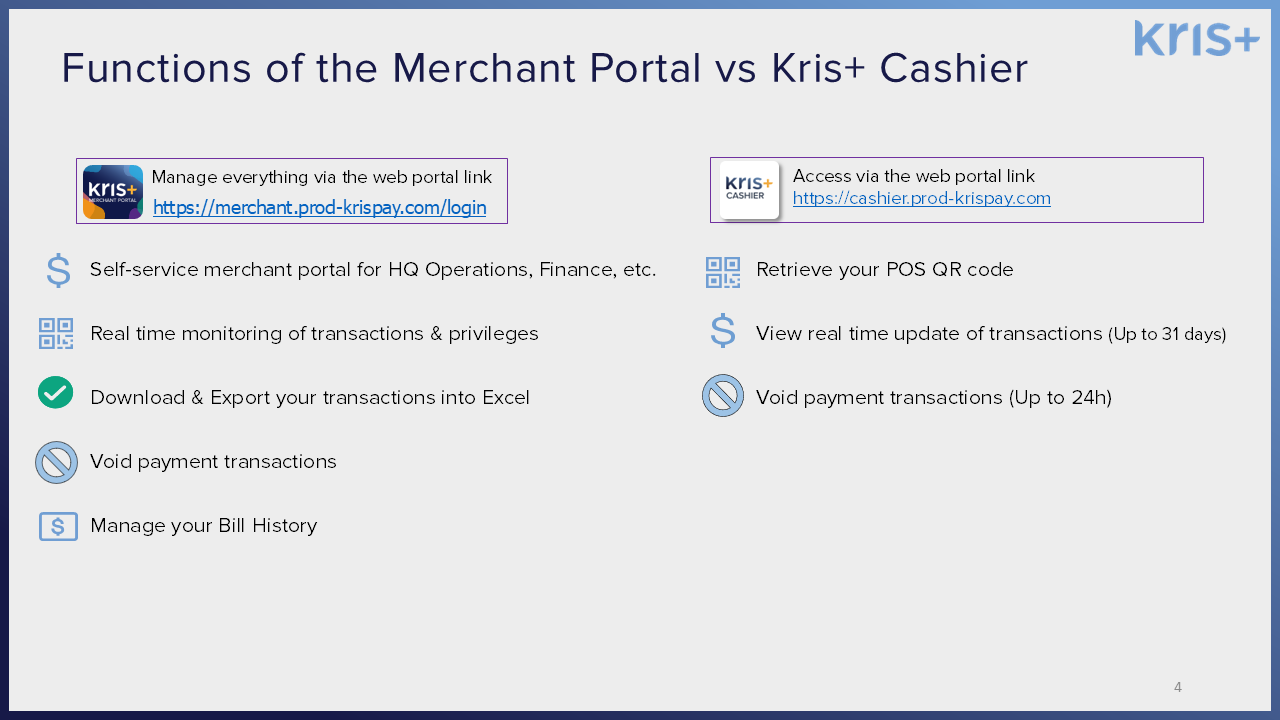
For cashiers handling day-to-day payments, please use Kris+ Cashier (https://cashier.prod-krispay.com/).

Click here to view user guide and short videos.
Here's a summary of the key differences between the Merchant Portal and Kris+ Cashier:
Reset password by clicking on “Forgot Password” on Merchant Portal (https://merchant.prod-krispay.com/).
A verification code will be sent via email to the appointed Contact Person in your HQ.
Admin access level can refund transactions made within the past 60 days (in full only) via Merchant Portal.
For a step-by-step walkthrough, watch our video starting at 0:32.
Refund the payment transaction for the eVoucher by following the steps of “Refund a Payment”. Identify voucher to refund based on Int. Reference ID.
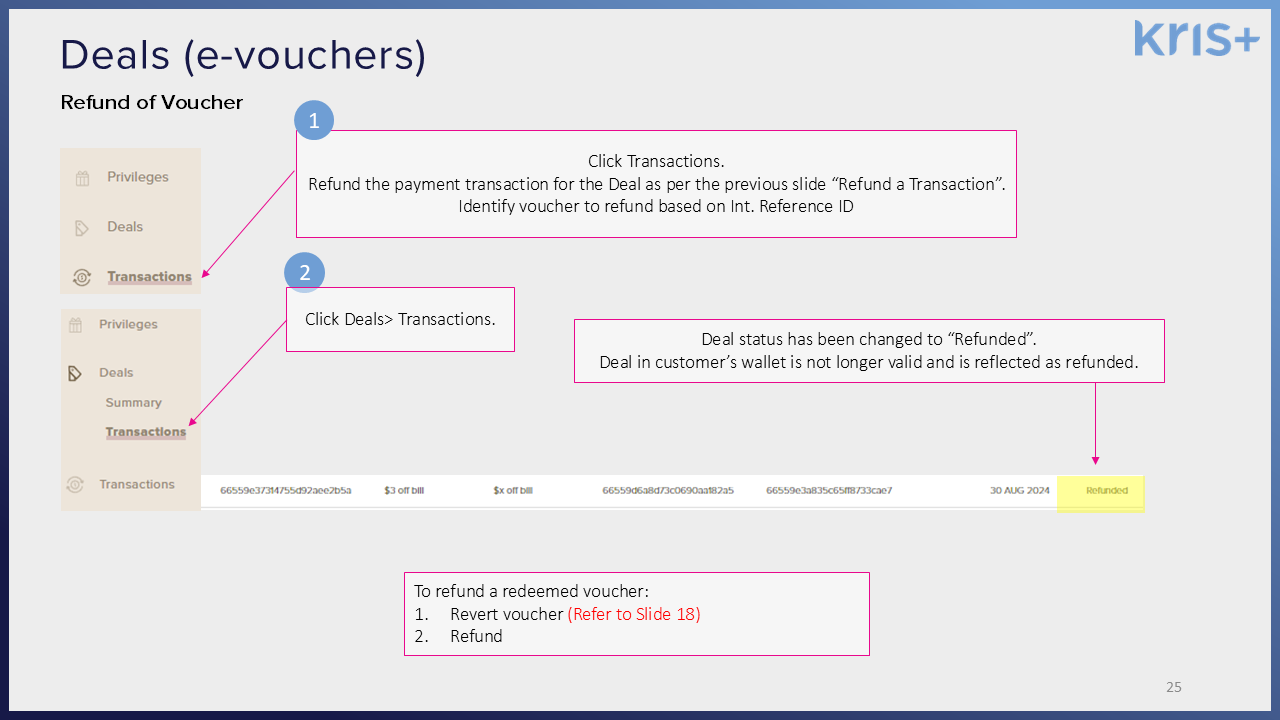
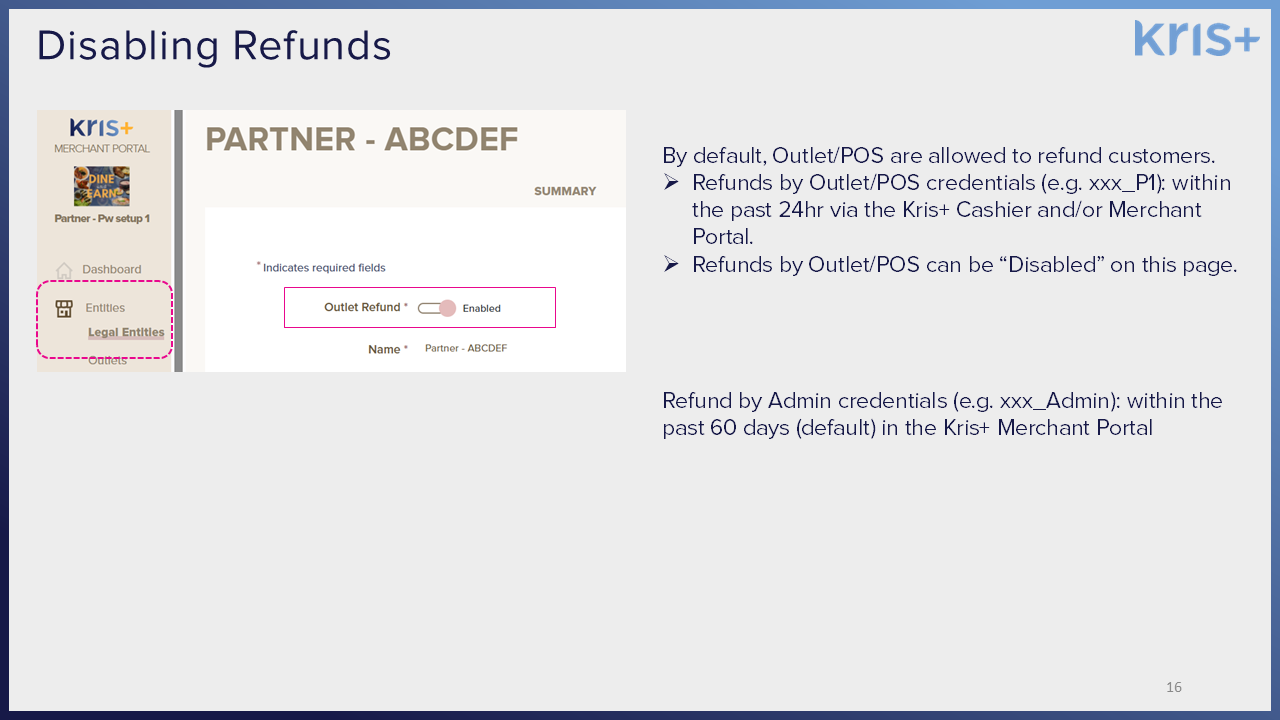
By default, POS are allowed to refund customers. If you would like to disable refunds by cashiers, please follow these steps:
- Within Merchant Portal, head to “Entities” and “Legal Entities”
- Disable Outlet Refund
For Merchant Enquiries, please email: KrisPlus@singaporeair.com.sg
For Customer Enquiries, please email Kris+ contact centre: KrisPlus_Contact@singaporeair.com.sg. Operating hours: 9am to 6pm SGT, Monday to Friday.