
KrisFlyer Spontaneous Escapes
The KrisFlyer Spontaneous Escapes promotion for this month will be revealed soon. Catch us again mid of this month, where we will share the new list of destinations available for redemption, at a 30% discount off Saver Awards, for travel next month.
To redeem, please complete the following:
1. Log in to your KrisFlyer account with your KrisFlyer membership number/email address and password at the top right corner of this page.
2. Select ‘Book a Flight’ on your dashboard.
3. Click ‘Redeem flights’ and select your travel details.
4. Select your desired flights under the ‘Promo’ fare column and the redemption discount will be reflected under the booking summary panel.
5. Proceed to check-out to confirm your booking.
Seat availability is on a first-come, first-served basis, and flights can only be redeemed online via singaporeair.com or the SingaporeAir mobile app.
- The KrisFlyer Spontaneous Escapes promotion (“Promotion”) is organised by Singapore Airlines Limited (“SIA”). The promotion is open to KrisFlyer members (“Participants”) for the online redemption of Promo Awards in Economy, Premium Economy and Business Class on selected Singapore Airlines operated flights. Please refer to the list of eligible flights above. The promotion is not valid for codeshare flights.
- Eligible bookings can only be made through singaporeair.com or the SingaporeAir mobile app. This promotion is not available through KrisFlyer Membership Services, SIA Ticket Offices, travel agents, or any other channels.
- To qualify for 30% off Saver award fares offer, tickets must be issued between 14 August 2026 (0000 hrs, Local Time) and 31 August 2026 (2359 hrs, Local Time) (“Promotion Period”), both dates inclusive, for travel from 1 September 2026 (0000 hrs, Local Time) to 30 September 2026 (2359 hrs, Local Time) for all destinations.
- This Promo awards must be ticketed immediately within the same booking session. Fare and seat availability will not be guaranteed otherwise.
- If (i) any part of the itinerary is confirmed after the Promotion Period; (ii) or falls outside the applicable Travel Period; and/or (iii) contains an ineligible flight, the entire itinerary will not be eligible for the promotion. Please split your bookings for travel within and outside the promotional travel period.
- Waitlist redemption is not available for all flights offered in this Promotion.
- Any change is strictly not permitted for bookings made under this promotion. Cancellation is also not permitted for partially unused or totally unused tickets.
- This promotion cannot be combined with any other discount or promotion.
- This promotion is applicable to one-way and round-trip travel. No stopovers are allowed for this promotion.
- Taxes and fees are applicable in addition to the required redemption mileage and paid for separately by the passenger in the applicable currency. Taxes and fees are separately charged and payable and are not subject to any discount.
- The Promotion will only apply to tickets purchased entirely with KrisFlyer miles. It does not apply to commercial tickets purchased with part miles, part cash.
- The discount level is only applied on the number of KrisFlyer miles required for an Economy Class Saver, Premium Economy Class Saver and/or Business Class Saver award ticket. The discount will be displayed upon selection of eligible flight(s) under the Promo Awards category during booking on singaporeair.com.
- All redemptions are subject to seat availability at the time of booking.
- By participating in the Promotion, each Participant agrees to comply with and be bound by these terms and conditions, SIA’s conditions of use of website, SIA’s Privacy Policy, and the KrisFlyer Terms and Conditions (collectively, “SIA Terms & Conditions”). Non-compliance with or breach of any of these SIA Terms and Conditions may result in the Participant being disqualified at any stage of the Promotion, and any discounts on KrisFlyer miles redemptions awarded may be forfeited, withheld, withdrawn or reclaimed.
- All decisions made by SIA, in respect to any matter relating to this Promotion shall be final. SIA reserves the right to vary these terms and conditions, terminate or otherwise amend this Promotion, including any amendments to the eligible destinations, eligible flights, promotional dates and travel dates in this Promotion, without prior notice at its sole and absolute discretion.
- To the extent permitted under applicable law, SIA will not be responsible or liable for any consequences that any Participant may suffer (including without limitation any damage, loss, injury or disappointment) by participating in the Promotion.
- These Terms and Conditions shall be governed by and construed in accordance with the laws of the Republic of Singapore and shall be subject to the exclusive jurisdiction of the Singapore courts.
Complete your spontaneous getaway with Pelago
Booked a KrisFlyer Spontaneous Escapes fare? Make the most of your trip with handpicked activities and attractions from Pelago, the travel experience platform by Singapore Airlines. Redeem with your KrisFlyer miles and turn your quick getaway into a memorable experience. Browse more Pelago activities here.

Shanghai Yu Garden, Shanghai
From 1,408 miles
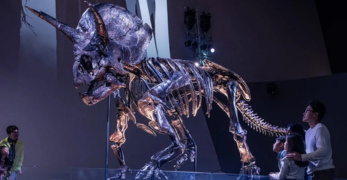
Melbourne Museum, Melbourne
From 1,559 miles

Everland Theme Park, Seoul
From 3,639 miles